FloatWebGet a quote

On this page
- The three measurements
- Largest Contentful Paint (LCP): how fast the main thing appears
- Interaction to Next Paint (INP): how quickly the page reacts
- Cumulative Layout Shift (CLS): how much things jump around
- Field data and lab data
- What usually slows down small business sites
- How to approach it
- Do not overstate how much it matters
Core Web Vitals are three measurements Google uses to describe how a page feels to use. They have odd names, and tools throw red and green scores at you without much explanation. Here is what they mean in plain words.
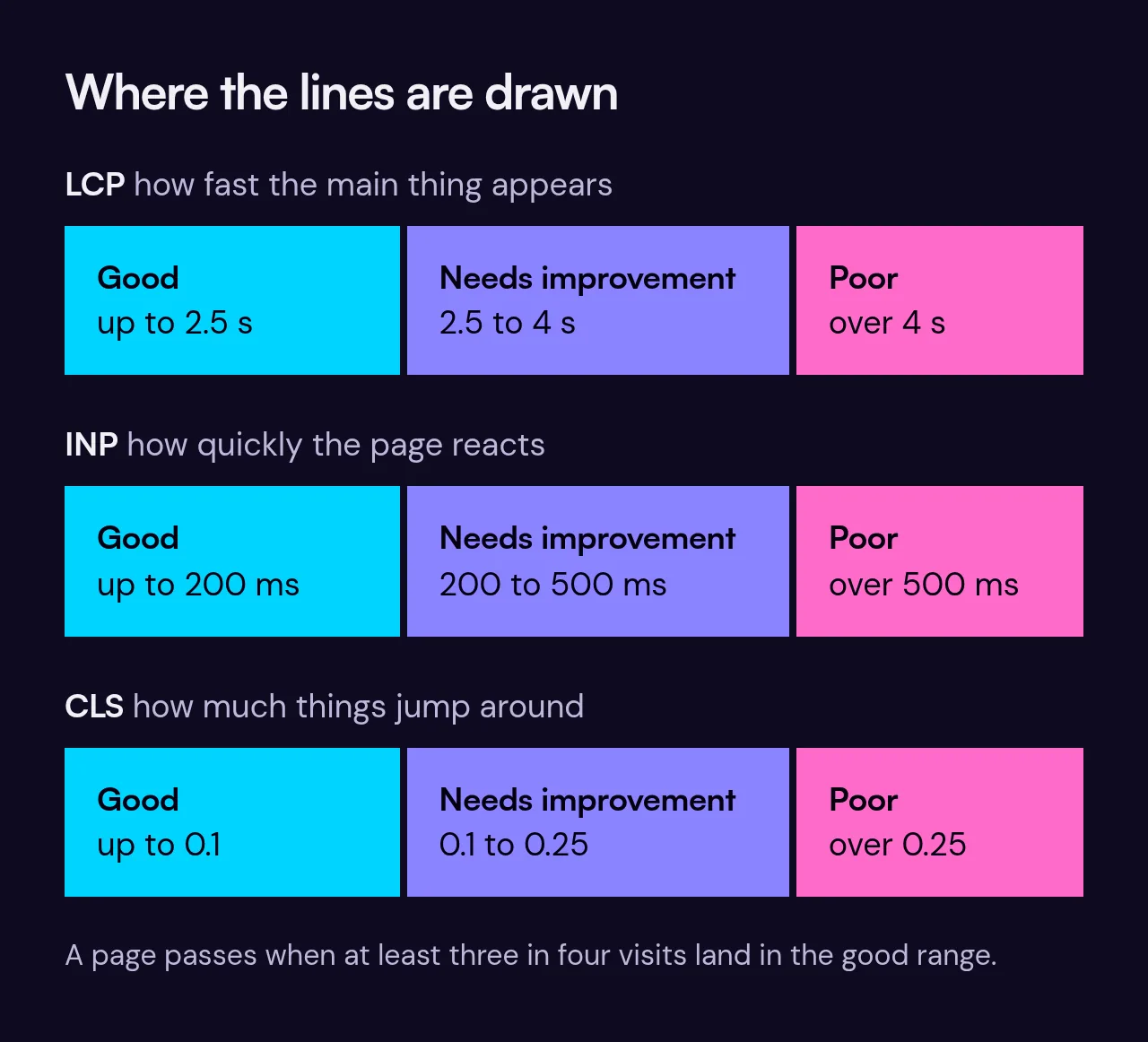
The three measurements
Largest Contentful Paint (LCP): how fast the main thing appears
LCP is the time it takes for the biggest visible item on the page, usually a large photo or a headline, to appear. If you open a page and stare at a blank space for a few seconds, that is a slow LCP. Good is 2.5 seconds or less.
Interaction to Next Paint (INP): how quickly the page reacts
INP measures the delay between you tapping or clicking something and the page visibly responding. A menu that takes a moment to open, or a button that seems to do nothing at first, is a poor INP. Good is 200 milliseconds or less. INP replaced a measurement called First Input Delay in March 2024, so older articles may mention that instead.
Cumulative Layout Shift (CLS): how much things jump around
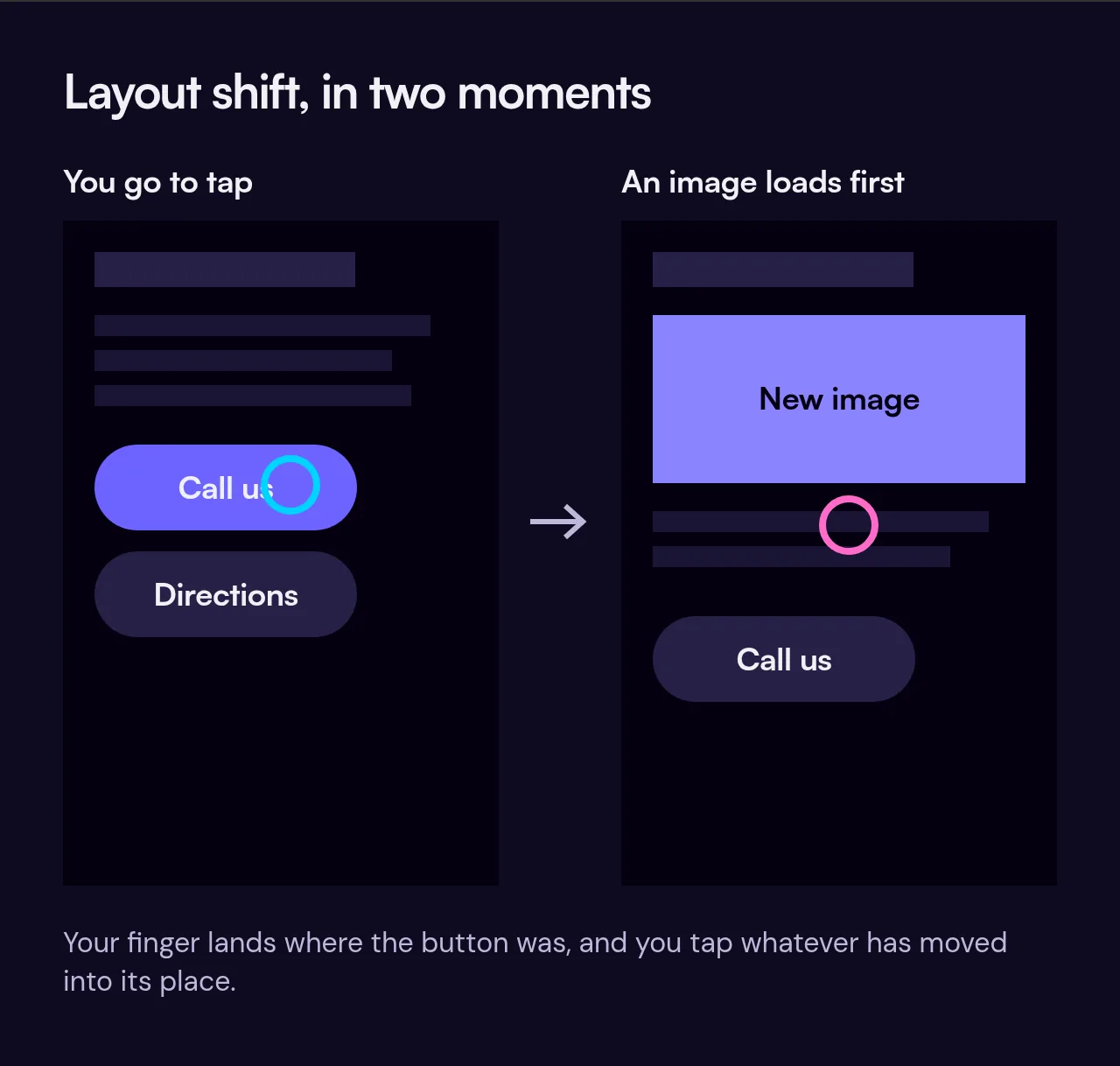
CLS measures unexpected movement. You go to tap a link and an image loads above it, pushing everything down, so you tap the wrong thing. That is layout shift. Good is 0.1 or less.
Field data and lab data
If you test a page in Google's PageSpeed Insights, you will often see two sections.
- Field data comes from real Chrome users who visited your site. It shows what people actually experienced. It only appears if the site gets enough visits, so a small or new site may show "no data".
- Lab data comes from a test run once, in a simulated setup. It is useful for finding problems and checking fixes, but it is a single test, not a record of what your customers saw.
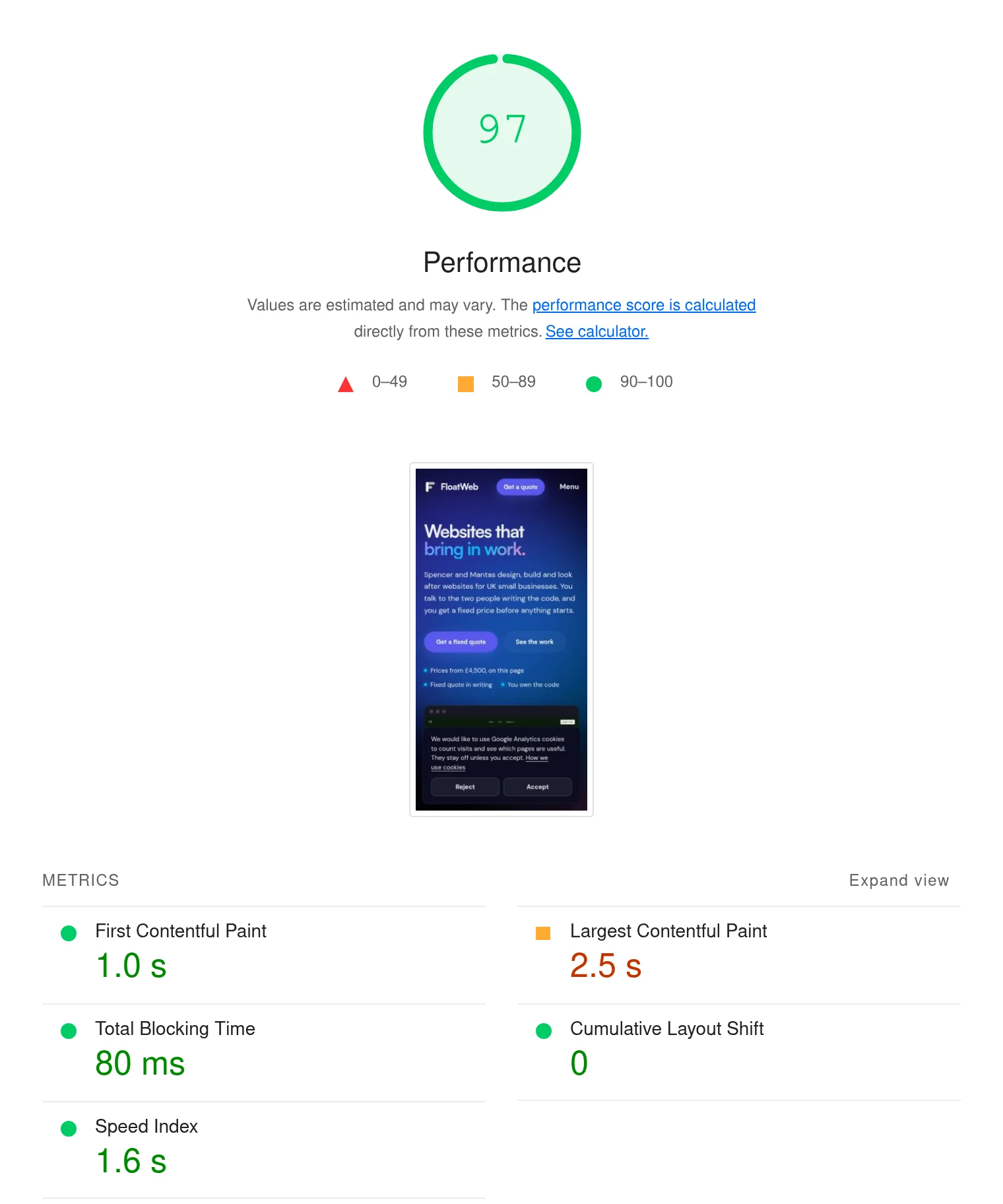
If you only have lab data, use it as a guide and not as a verdict. Run it a few times, since results vary.
What usually slows down small business sites
- Huge images. A photo straight off a phone can be many times bigger than the page needs. Resize and compress before uploading.
- Too many third-party scripts. Each analytics tool, tracking pixel, review widget or embedded feed adds weight and can slow the page.
- Chat widgets. They are often heavy and load on every page, even if few people use them.
- Page builders and heavy themes. Some produce a lot of code for simple pages, which slows down loading and responsiveness.
- Slow hosting. If the server is slow to respond, everything after it is delayed too.
- Fonts. Loading several font families and weights adds delay, and late-loading fonts can make text jump when they arrive.
- Images and embeds without set sizes. If the page does not reserve space, content shifts when they load, which hurts CLS.
How to approach it
- Test your key pages in PageSpeed Insights, starting with the home page and your main service pages.
- Look at the largest items first: usually images and scripts.
- Remove what you do not need. A widget nobody uses is cost without benefit.
- Test again after each change so you know what helped.
- Check on a real phone on mobile data, not only on your office wifi.
Do not overstate how much it matters
Speed is one signal among many that Google uses. A fast page with thin or unhelpful content will not outrank a slower page that answers the question well. Relevance, content quality, reputation and links all count. What speed does reliably help with is the visitor: a page that loads quickly and responds well is easier to use, and people are more likely to stay and get in touch.
So treat the vitals as a check on quality and not as a trick. Fix the obvious problems, aim for the "good" ranges, and spend the rest of your effort on useful content. Our SEO page explains how we look at the whole picture, and our WordPress and Next.js comparison covers how the choice of platform affects speed.
If you would like us to look at your site, get in touch, and we will tell you what is slowing it down and whether it is worth fixing.