FloatWebGet a quote

On this page
- 1. What your business does, and for whom
- 2. What the site must achieve
- 3. Pages and services
- 4. Words and photos: who supplies what
- 5. Features you need
- 6. Sites you like, and why
- 7. Budget range
- 8. Deadline
- 9. Who signs off
- 10. What happens after launch
- A template to copy
- Do not worry about getting it perfect
A website brief is a short document that tells a designer or developer what you need. It does not have to be long or technical. A page or two is enough. A clear brief gets you quotes you can compare, avoids misunderstandings halfway through the project and usually saves you money. Here is a template you can copy.
1. What your business does, and for whom
Two or three sentences. What do you sell or do? Who are your customers? Where are they: your town, the whole of the UK, or abroad? The more precisely you describe your typical customer, the better the site can speak to them.
2. What the site must achieve
This is the most important section. Pick one or two main goals and rank them. For example:
- More phone calls.
- More booked appointments.
- Online sales.
- Quote requests through a form.
- Looking credible when someone checks you out.
Everything else on the site should support those goals. If everything is a priority, nothing is.
3. Pages and services
List the pages you think you need, such as Home, About, Services, Contact. List each service or product you want to show. If you are not sure, say so, and ask the supplier to suggest a structure. If you have an existing site, list what you want to keep and what you want to drop.
4. Words and photos: who supplies what
Be clear about this, because it affects cost and timing more than almost anything else.
- Who writes the text? You, the designer, or a copywriter?
- Who supplies the photos? Do you have good ones, or does someone need to take them?
- Do you have a logo, brand colours and fonts, or do those need creating?
5. Features you need
Tick what applies, and say how important each is:
- Contact or enquiry forms.
- Online booking.
- Taking payments.
- A shop with products and stock.
- A connection to a CRM or your email list.
- A blog or news section.
- Maps, reviews or social feeds.
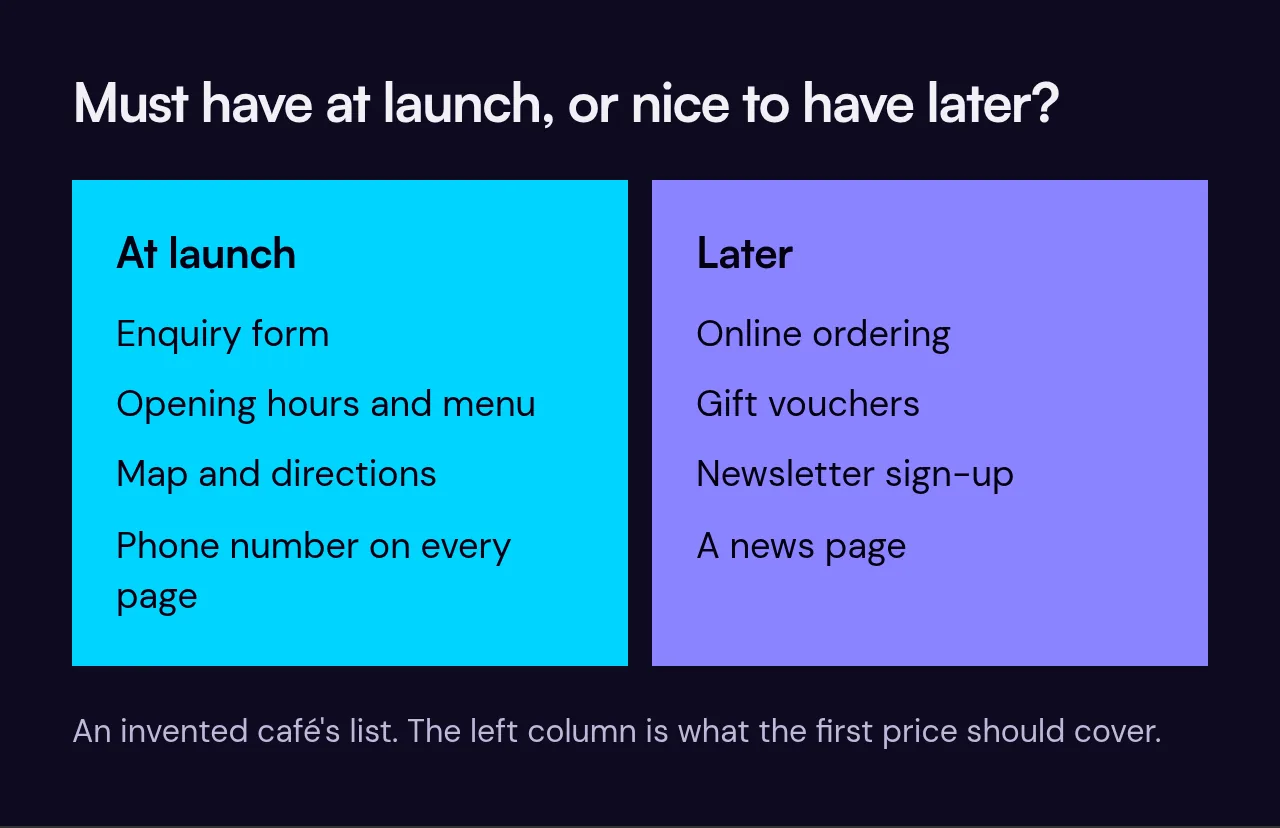
Features are where prices rise fastest, so it helps to separate "must have at launch" from "nice to have later". If you want to sell online, read about ecommerce websites first.
6. Sites you like, and why
Share two or three sites you admire, and say what you like about each: the layout, the tone, the photos, how easy it is to find things. Also share one or two you dislike. Saying why is more useful than the link alone.
7. Budget range
Many people avoid giving a budget, worried they will be quoted exactly that. In practice, a range helps a supplier propose something that fits and tell you honestly if your goals and budget do not match. If you are unsure what is realistic, try our cost calculator first, and read why quotes vary so much.
8. Deadline
Is there a date you must be live by, such as an event, a season or the end of an old contract? Say why it matters. A fixed deadline can change what is possible.
9. Who signs off
Name the person who has the final say. Projects slow down when feedback comes from several people who disagree. Also say how quickly you can respond when you are asked a question, since delays on your side add to the timeline.
10. What happens after launch
Think about who will host and look after the site, who will make changes, and how you want to handle updates. Ask about care plans and what they cover. If you already have a site, ask how existing search traffic will be protected.
A template to copy
Here is one filled in for an invented bakery, then the blank version to copy.
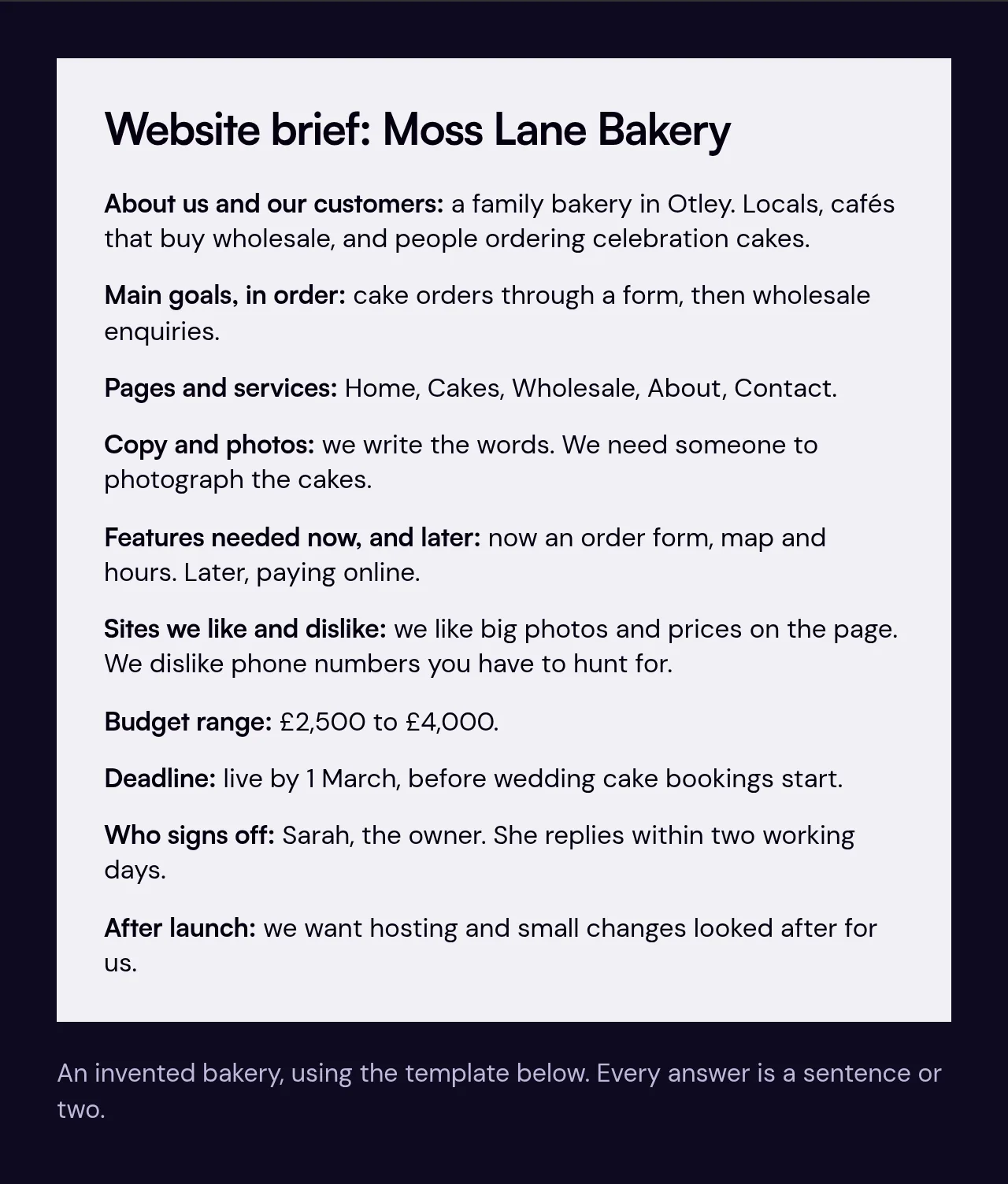
- About us and our customers:
- Main goals, in order:
- Pages and services:
- Copy and photos, who provides what:
- Features needed now, and later:
- Sites we like and dislike, and why:
- Budget range:
- Deadline and the reason for it:
- Who signs off:
- After launch, hosting and support:
Do not worry about getting it perfect
A rough brief is far better than none. A good supplier will ask questions to fill the gaps, and that conversation is part of how you judge them. If you would like to talk it over, see our page on small business websites or send us what you have, and we will help you tighten it up.