FloatWebGet a quote

On this page
- 1. List every current URL
- 2. Keep URLs where you can
- 3. Redirect every changed URL to its closest match
- 4. Keep the titles and content that rank
- 5. Carry across the behind-the-scenes details
- 6. Build and test on a staging site
- 7. At launch, remove the block
- 8. Submit the new sitemap
- 9. Watch what happens for the next few weeks
- Some movement is normal
- A short checklist
A redesign can make a site look better and work better. It can also wipe out the search traffic you spent years earning, if the old addresses stop working or good content disappears. Most of that damage is avoidable. This is the checklist we would follow.
1. List every current URL
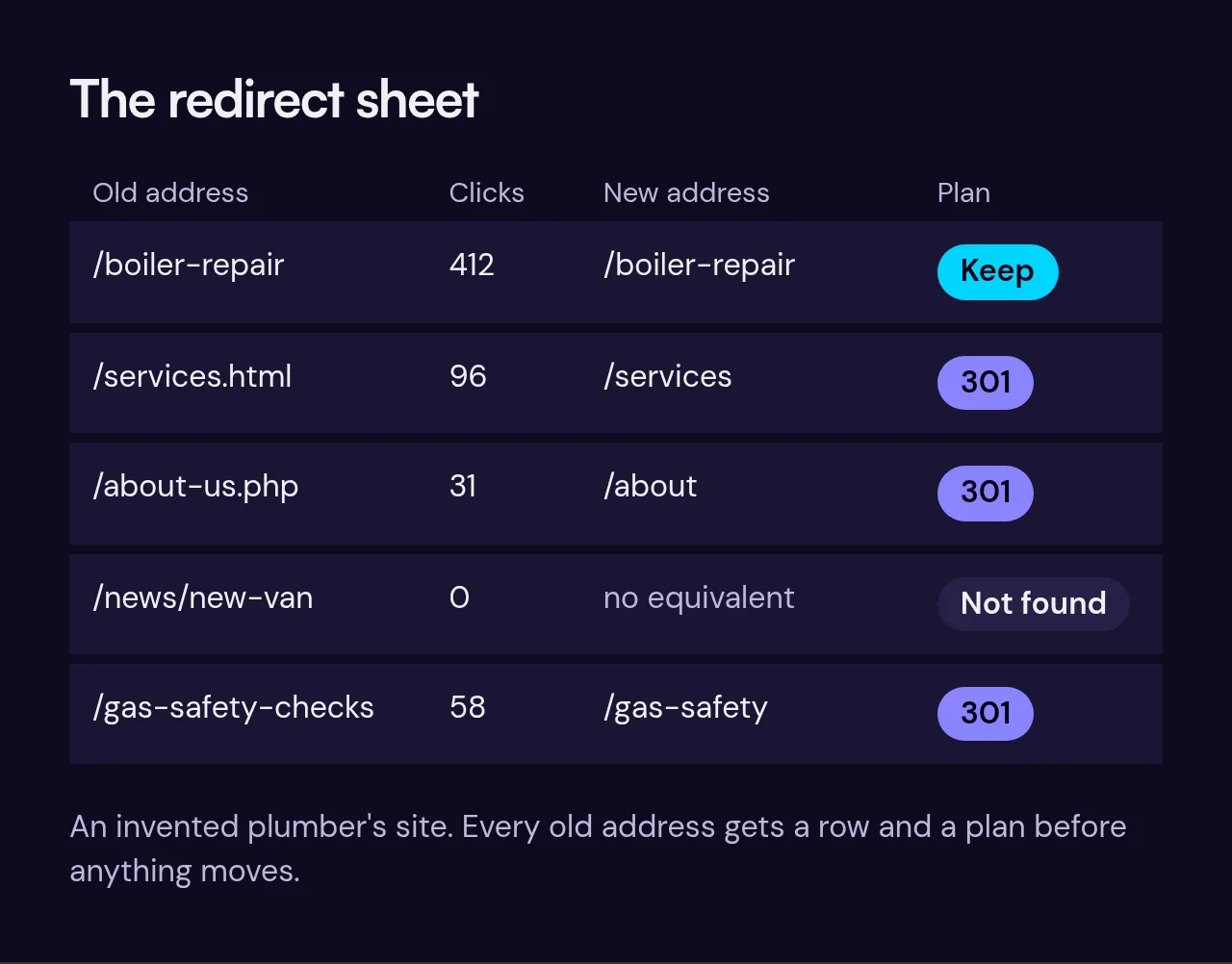
Before changing anything, make a full list of the addresses on your current site. Two sources help:
- A crawl of your site with a crawling tool, which finds the pages linked on the site.
- Google Search Console, which shows the pages Google knows about and which ones get clicks.
Combine them in a spreadsheet. Pages that get traffic or links matter most, but list them all.
2. Keep URLs where you can
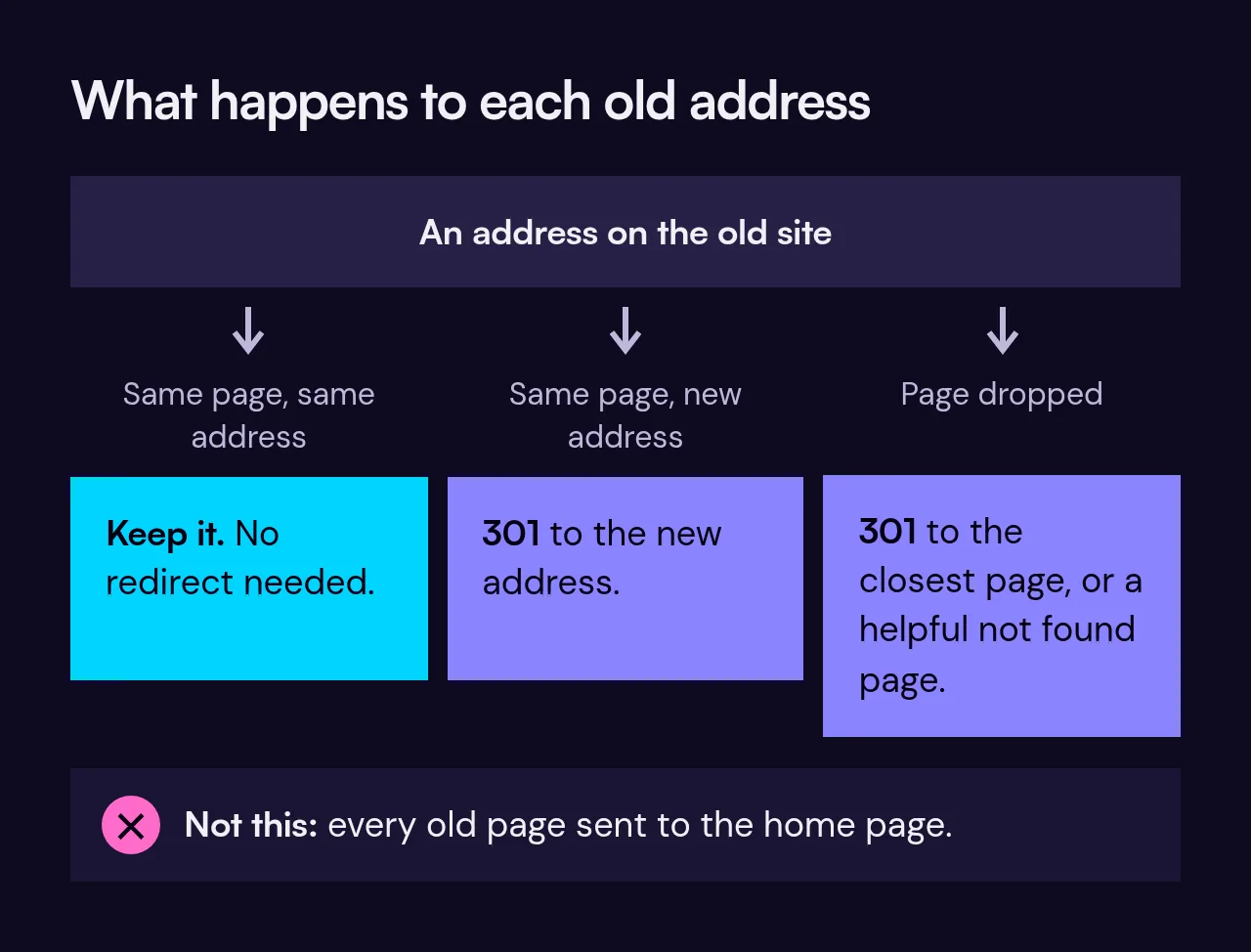
The easiest redirect is the one you never need. If a page can keep the same address on the new site, keep it. Change an address only when there is a good reason, such as a clearer structure.
3. Redirect every changed URL to its closest match
For each old address that will change or disappear, set up a permanent redirect, known as a 301, to the most relevant new page. "Most relevant" matters. Sending every old page to the home page tells Google those pages are gone, and visitors land somewhere unhelpful. Map the old service page to the new service page, the old blog post to the new one, and so on. If there truly is no equivalent, a helpful "not found" page is more honest than a lazy redirect.
4. Keep the titles and content that rank
If a page already ranks well, think twice before rewriting it. Keep the main heading, the key wording and the substance. You can improve the layout and readability around it. Cutting a detailed page down to a few punchy lines because it looks cleaner is a common way to lose traffic.
5. Carry across the behind-the-scenes details
Page titles and meta descriptions, image descriptions, canonical tags and structured data (the code that helps Google understand things like your business details or reviews) all need to come across to the new site. They are invisible when you look at a page, so they are easy to forget.
6. Build and test on a staging site
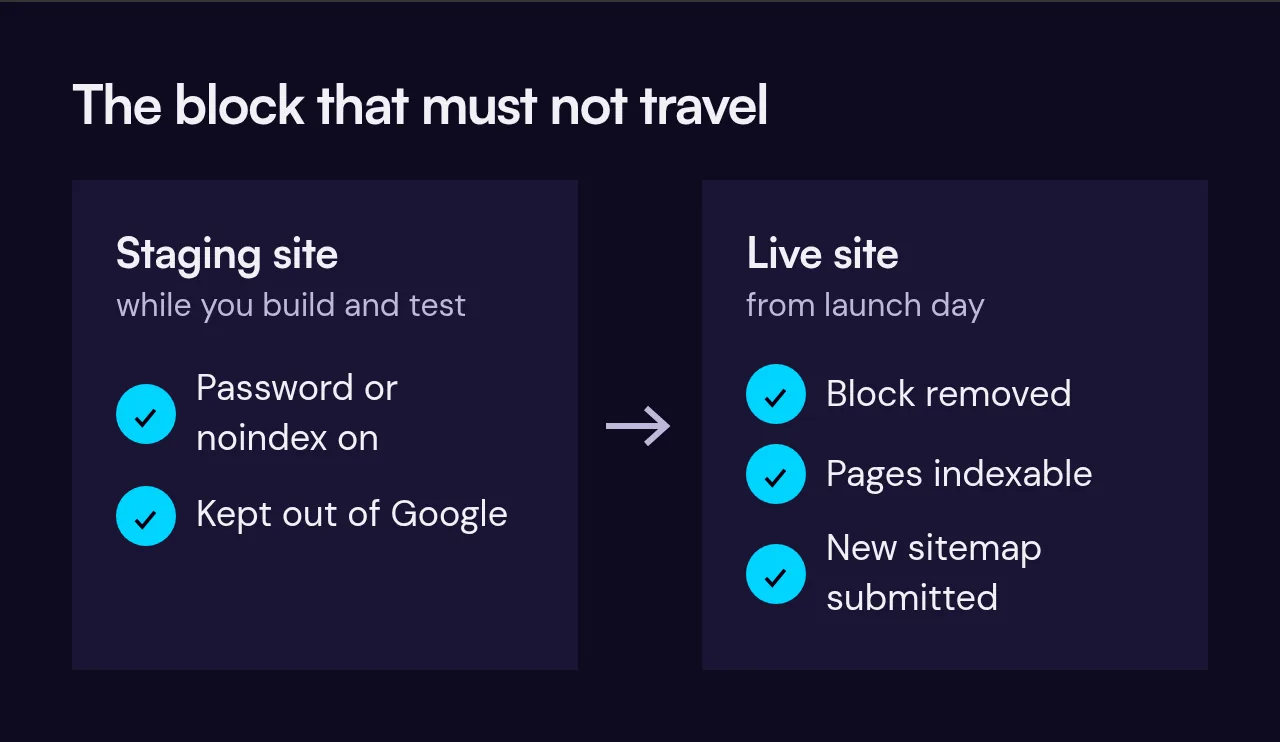
Build the new site on a separate address, called a staging site. Make sure it is blocked from search engines, with a password or a "noindex" instruction, so Google does not index a half-finished copy. Use staging to check every redirect, every link, forms, mobile layouts and page speed.
7. At launch, remove the block
This step gets missed more than any other. The block that kept staging out of Google must not travel to the live site. After launch, check that the live pages are indexable and that nothing is telling search engines to stay away.
8. Submit the new sitemap
A sitemap is a list of your pages for search engines. In Search Console, submit the new one so Google finds the new structure quickly. Also check that the file lists the new addresses and not old ones.
9. Watch what happens for the next few weeks
- Check the Pages report in Search Console for indexing problems.
- Check for 404 errors, which mean an address is not found, and add redirects for any that matter.
- Watch clicks and impressions for your main pages.
- Test your key forms and phone links still work.
Some movement is normal
Even a careful move often brings rankings that wobble for a few weeks while Google reprocesses the site. That is normal and not a reason to panic. What you want to see is that the pages are being indexed and that any dip is small and recovering. A large, lasting drop usually points to a specific mistake, such as missing redirects, a block left on, or content that was removed, and it can normally be traced and fixed.
A short checklist
- Full list of current URLs from a crawl and Search Console.
- Keep addresses unchanged where possible.
- One 301 redirect per changed address, to the closest page.
- Keep ranking titles and content.
- Carry over meta data and structured data.
- Test on a staging site that is blocked from indexing.
- Remove the block at launch.
- Submit the new sitemap.
- Monitor the Pages report and 404s for several weeks.
We handle all of this as part of our website redesign work. If you want to know what a move would involve for your site, tell us about it. You can also read how builders and custom sites differ in Wix versus a custom website.